Category Archives: social networks

Google Never Forgets

Anyone who follows me knows that I’m a big proponent of a “clean appearance” online. Colleges and employers are already eyeing your social media presence and it’s important for your student to put as much effort into “keeping clean” as preparing their college application. Why. ? Because Google never forgets.

Here are some statistics on who is looking for your data:
  • 81% of millennials Google or Facebook their date before going out
  • 79% of recuiters and hiring managers screen applicants by information available online
  • 86% of hiring managers have rejected someone based on information available online
  • 7 in 10 internet users search online for information about others

This infographic shows how your college-bound teen’s digital footprint can affect their future.

The Google Yourself Challenge
From: BackgroundCheck.org

Colleges and Pinterest


I’ve been out of the loop for more than a few months but that doesn’t mean I haven’t been listening to the buzz about Pinterest. I’ve stuck my feet in the water and have determined that it’s a visual social site. It’s all about the pictures and the action those pictures invoke, resulting in “pins” on boards. It’s an interesting concept that seems to have taken off and is boasting the title of “the fastest growing social media site”.

It’s no surprise that colleges have jumped on the bandwagon, posting pictures of their campuses to attract incoming students. However, collected data from comScore shows that the average 18-to-24 year old college student is not listed at the top of the list of visitors using Pinterest, falling behind the age group of 25-to-34 years. That hasn’t stopped colleges from getting on board and “pinning” everything from student activities to dorm room photos.

Here are just a few examples of some colleges who have taken the plunge:

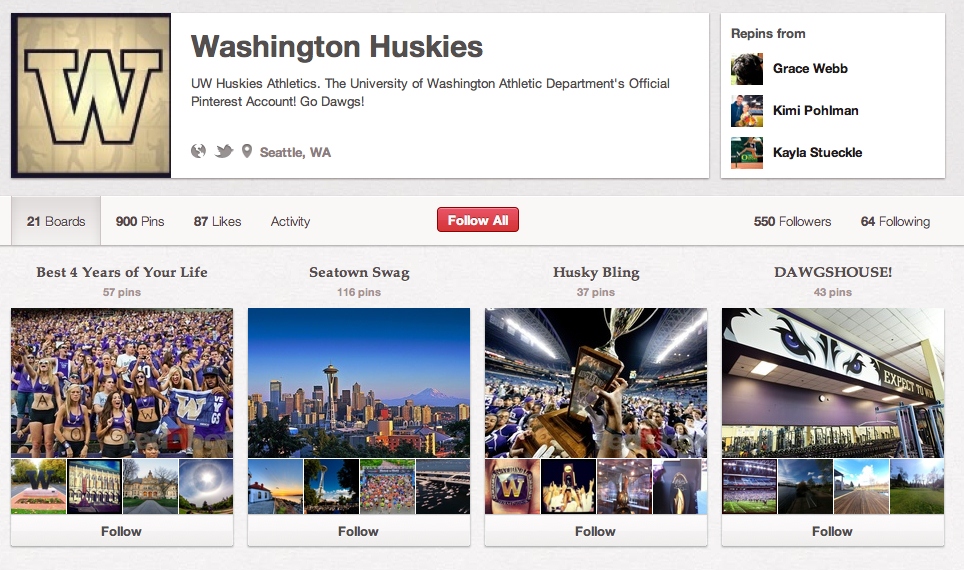
The University of Washington’s Athletic Department has their own “Huskies” account, pinning everything from “The Best 4 Years of Your Life” to “Party Like a Husky” to “Huskies in Hollywood”.

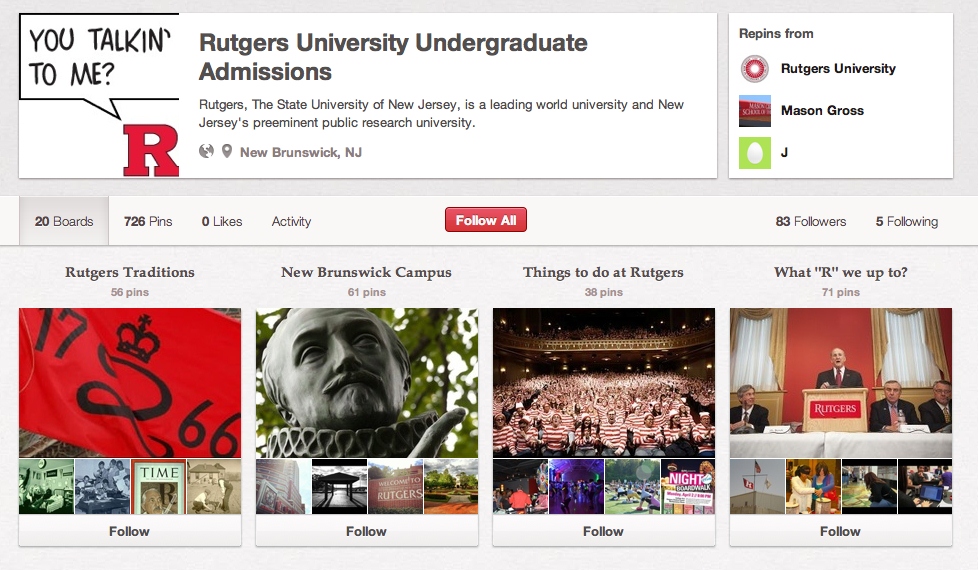
Rutgers University has an account specifically directed to the interested applicants. Some of their boards include: Rutgers Traditions, Where “R” We?, Study Abroad and Notable Alumni.


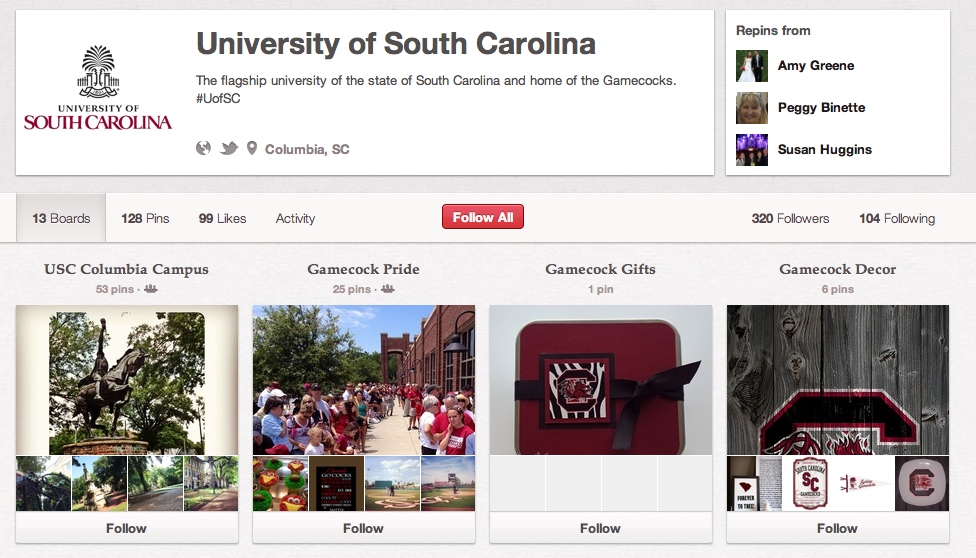
University of South Carolina appears to be relatively new to Pinterest, but has started with pins related to their campus, sports activities and South Carolina events.


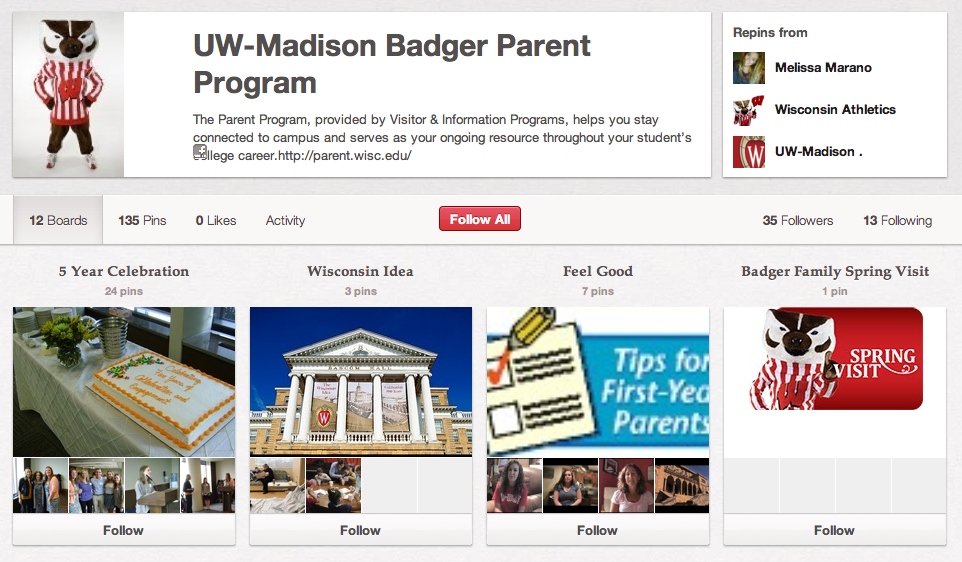
My personal favorite, however, was passed along to me by the parents of an incoming freshman to the University of Wisconsin. That college has set up a page for parents, perhaps the smartest use of Pinterest to date by a university, especially since a large number of Pinterest users are the parents (moms) of those college-bound teens.


If you’re interested, take a peek at these colleges and do your own search for the colleges that interest your student. Whether you like Pinterest or not, you have to give kudos to the colleges who are embracing this new technology. Only time will tell if it’s an effective tool to attract new students and/or inform parents.


12 College Experts I would like to meet in 2012


This past year I have met and established some wonderful friendships and collaborations on Twitter. I had the privilege of meeting Jenn Cohen of Sheldon Word Nerd this past summer. I thought it might be fun to list the college experts who I would love to meet IRL (in real life) in 2012. If you aren’t following them already, I’ve included the links so you can!

Akil Bello-This guy cracks me up and is the genuine article. His SAT advice is spot on and he’s quite a wordsmith. I would love to sit down with him and discuss the merits of Manilow’s music (and how he feels about internet shysters trying to rob parents of their hard-earned money).

Kelly Queijo-Kelly is my hero because she walked the 30 mile Komen walk for me and my mom. Not to mention she hosts #campuschat AND has the best go-to site for college visit information. She and I have been Twitter friends since her site launched.

Nancy Berk-Nancy is every parent’s friend and quite the comedian. Her book, “College Bound and Gagged” left me rolling on the floor laughing. I would love to be a guest on “Whine at 9”!

Eric Clark-Eric, my man. A great dad and an educator with a vision to help tutor EVERY student across the country with his Quincy Tutoring network. He’s been one of my biggest supporters and I him.

Wendy David-Gaines-The ultimate POCSMom and a colleague. She approaches the college journey with humor and ideas to reduce the stress while helping parents with support and encouragement throughout the journey.

Monica Matthews-Monica is a parent too but an absolute EXPERT on college scholarships. I wish I would have had her book when my kids went to college. She rocks helping parents and students find and apply for scholarships.

Elizabeth King-Elizabeth writes the most pithy articles about test prep and the value of education. She’s an all star in my book!

Paul Hemphill-My Boston buddy and good friend. Paul and I believe that parents are the customers and colleges should rise up and take notice! Plus, he’s the best at marketing students for college. He gets an A+++ for being a parent advocate.

Jane Kulow-Jane is on the college journey with her kids and visiting colleges as we speak. Her blog ROCKS for parents who are going through the process because you get a real-time parent’s perspective.

Jeff Sheely-Jeff’s common sense approach to financing a college education made me a fan from the first time I met him on Twitter. His College Money blog gives parents and students the BEST advice about debt, student loans and financing a college education.

Gil Rogers-Gil is the first admissions officer I met on Twitter and he helped me answer many a parent’s question. Now he works for Zinch (my fav college related company) and his stellar social media savvy makes him an all-around guru.

Fuji Fulgueras-Apart from teasing me about my Manilow fandom, Fuji is a college admissions counselor and a respected expert. He can answer any questions about college admissions and is always helpful to parents when asked.

Colleges and Social Media

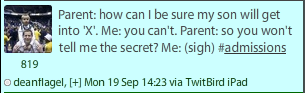
I just read a great post by a parent who is going through the college admissions process talking about College Admissions Secrets. Take a few minutes to read it because it addresses an important issue with parents: What can I do to assure my student will get accepted to college? Is there a secret?

One admissions officer was asked this question and responded using social media (Twitter). Do you think this was from one of those “helicopter” parents?

I would bet that some admissions representatives regret the day that parents found them on Twitter and Facebook. Now they can ask the questions they have been dying to ask, even at the dismay of some of the college representatives.

For colleges and students, social media can be a two-edged sword in many respects. It gives colleges the opportunity to connect with a larger applicant pool and share their message to a vast number of prospective students. But it also allows the parents of those applicants to interact and insert their questions into the process. Social media allows students to connect directly one-on-one with college representatives and current students. But it also means that students need to be more vigilant about their online persona because the colleges are watching.

If you would like to see how two colleges are using social media to reach students, follow the links below:

Hofstra University

Cornell College

If your student is applying to one of these colleges or any other colleges with a social media presence, let them make the connections themselves. Don’t be one of those parents who make admissions officers run for cover. Encourage your student to search for each college’s social media page and pursue those connections on their own. Let them, as one admissions representative once told me, “drive the car”.

Using Facebook to “spy” on your kids

How about it parents? Do you use Facebook to “spy” on your kids? Or do you like to think of it as “helping them protect their personal brand”? Whatever the reason, you’re not in the minority. Check out this cool infographic and see where you fit in; and DON’T share this with your teen!

Parents on Facebook
Courtesy of: OnlineSchools.com

Using Facebook to Jumpstart your Collegiate Experience


As parents, you may not quite completely understand the utility of Facebook. Even when I was in high school, I thought that the friends of mine who were on the earlier social networks like My Space were just plain silly. However, when I matriculated to pursue an undergraduate degree, Facebook was just starting to take off throughout the world, and I cannot begin to describe how using the social network made inserting myself into a vibrant social world so much easier. If your child is on the cusp of going to college for the first time, here are a few useful ways to employ Facebook and make that college transition easier.

  1. Find people who will be living in your dorm. As soon as you get that letter informing you which building and room you will be living in, you can be sure that there has already been a Facebook group created with your dorm’s name on it. Running a search of your dorm building is a great way to find people who may already live there, find the roommate your school selected for you, and it’s also fun to become friends and begin chatting with other matriculating freshmen who are just as excited as you are.
  2. Find housing and furniture if you are no longer living on campus. If you do not intend on living on campus your first year, or if you have completed your first year and want to try moving off-campus, Facebook is a great way to find both new roommates, a new house or apartment for lease, and some cheap used furniture. Facebook Marketplace is helpful, but sometimes just looking through college groups or friends’ and acquaintances status can be just as effective. The way I found my off-campus living and roommates was simple. I scrolled through my news feed, randomly found that an acquaintance had found a 3 bedroom apartment but needed one more housemate. After a few days I was living in a wonderful apartment with two friends. That beats going through a realtor to find off-campus living!
  3. Keep up with events happening on campus. If you join a group that is associated with your school, or if you “like” your university’s official page, then often you will be updated on your news feed if any interesting events happen on campus. This way, you don’t have to rely on fliers or word-of-mouth to attend events where you can have fun, be involved with your campus community, and meet new people.
  4. Join study groups. Once you’ve begun to get in the swing of things academically, it will be likely that someone in a few of your classes will have started a Facebook group for that class. If so, joining it, or starting a group yourself, can reap many benefits. For one, you can organize study groups more easily, you can discuss class material in a forum format, and you can borrow notes or books if you happen to miss class.

These are just a handful of ways that you can use Facebook to enhance your first few weeks and months in college. Remember, Facebook was founded by college students for college students. If you use Facebook for anything, use it to become more acquainted with your college and fellow students.

*****************

This guest post is contributed by Barbara Jolie, who writes for online classes.  She welcomes your comments at her email Id: barbara.jolie876@gmail.com.

10 Ways my Twitter followers have made me 1000 times more blessed

This past weekend, I surpassed the 10,000 mark in Twitter followers. For me, that’s a milestone. It wasn’t much more than a year ago that I started my Twitter journey, hoping to leverage its influence when deciding to create my Parents Countdown to College Toolkit. It was fairly new in social media circles and quite honestly, many were skeptical it could be an effective marketing tool.

10,000 followers later I would have to say that Twitter has far exceeded my expectations. Not only has it been an effective marketing tool, but it has put me in contact with other college experts; and thus allowing me to exceed my original purpose and plan for using this social media tool. Say what you want about Facebook; Twitter has opened more doors for me than I could have ever imagined.

Here are 10 ways my Twitter followers have made me 1000 times more blessed:

  1. I have been able to tap into a vast resource of parents. These parents have made me realize that we all share the same journey that is oftentimes frustration but always rewarding. I’ve been able to draw from their expertise, learn from their experiences, and use all of that to make my blog and my parent college coaching more effective and timely.
  2. I have connected with 1000’s of experts in the college arena. I have talked with admissions counselors, college students, college counselors and financial aid advisers. I have gathered all their information and expertise to create a vast network of advice for parents as they navigate the college maze with their teens.
  3. I have made friends who have enriched my life. These friends are in all different areas: college experts, test prep experts, breast cancer survivors, parents, tech experts, and even Manilow fans. They have given me all sorts of encouragement and support.
  4. I have established business connections. These connections have given me credibility and an opportunity to fine tune my expertise. They have also been valuable mentors and coaches regarding my business and its positive progress.
  5. I have had oodles of fun. Yes oodles. I’ve attended chats and laughed as we joked with one another. I’ve had back and forth conversations with other parents and enjoyed learning about their families and their lives.
  6. I have stayed up to date on the latest news and controversial topics. Twitter has been a valuable tool to catch up on the news and be the first to know when news breaks: the crash in the Hudson, the Casey Anthony trial, the capture of Bin Laden and the shootings at Ft. Hood just to name a few.
  7. I have tapped into the best training in social media. This valuable advice has helped me improve my social media presence and keep current on the latest social media tips and tricks. Following people like @chrisbrogan, @marismith, @joelcomm, @barefoot_exec and @mashable have given me a vast wealth of social media tools to expand my online presence.
  8. I have been able to exchange guest posts. Being on Twitter puts me in touch with other experts in my field and enables me to exchange guest posts, thus expanding my internet presence and providing my readers with valuable content.
  9. I have been inspired. It goes without saying that there is a wealth of valuable inspiration on Twitter from parents, life coaches, and even parenting experts. They have inspired me to be productive and encouraged me to pursue my passion.
  10. I have learned more SAT vocabulary words than I care to mention. With followers like @elizabethonline @akilbello and @sheldonwordnerd you can’t help but pick up on those great vocabulary words that everyone needs to improve their communication skills.

Thanks to all my 10,000+ followers for enriching my life and expanding my reach beyond my small little south Texas world. I will never take you for granted AND if there is EVER anything I can do to help promote you and/or your business just shoot me an email or DM me on Twitter. I’m all about paying it forward!

Special thanks to @GreekforMe for suggesting the topic of this blog!

Top 5 Social Media Tips for Students

Students who effectively use social media create an advantage for themselves with colleges and in the future job market. They can digitally network with professors, alumni, and fellow students before, during, and after college. Every student should invest some time in building their online presence. The days of MySpace are over, though, and your social profiles speak volumes to anyone who finds them. You never know if a college admissions rep, recruiter or employer will Google you before offering you an opportunity. For this reason, a professional filter should always be applied.

Here are my top five tips for college-bound teens and college students jumping into the social media river.

  1. Try new things. Facebook and Twitter are the basics. Consider expanding your reach by signing up for accounts on LinkedIn, Tumblr, or any other platform that intrigues you. And if you get your hands on a Google+ invitation, give it a test drive.
  2. Mind your audience. If you are using your social media for professional networking, then remember that anyone (uncle, co-worker, teacher, etc.) can find what you are saying. (Everyone from my grandmother to my boss can see my tweets.) Even if you “protect your tweets” or have really tight Facebook privacy settings, nothing is private. Anyone can take a screenshot of anything they see on Facebook, or retweet you into the twittersphere for all to see. There have been countless examples of people losing their jobs or even being denied admission because of inappropriate posts on social networks. Make sure you’re not one of them.
  3. Don’t be afraid to say “hello!” Social media has created the world’s largest networking event. Feel free to offer comments, ask questions, and challenge opinions. Never lurk in the corner.
  4. Speak clearly and carefully. Avoid spelling and grammar errors; watch out for foul language. If you want to be taken seriously, make your posts reader-friendly.
  5. Leverage your presence. If you’ve invested time in building your online influence, then make sure people know it. Put links to your social profiles on your resume, or consider building a personal website. Whatever your major or intended major, be it Dance, Sociology, or Marketing, your digital presence will set you apart.

 ********

Adam Britten is a recent graduate of Syracuse University, where he worked as a member of the school’s social media team. In the fall, he’ll be pursuing a Master of Digital Marketing. He maintains the blog www.genYspot.com.

Does your high school student need to clean up their act?

Here’s a short little video I created for parents: