Category Archives: Uncategorized

Myths about College Sports

Are sports scholarships really the best scholarships available? Do colleges spend as much money on sports athletes as they do on academics? Are college sports programs profitable? This inforgraphic answers just about every question you might have about college sports. I just have one question: If these statistics are accurate, why do colleges put so much emphasis on sports programs?

College Sports Myths
Created by Online Masters Degrees

Making wise college choices based on student debt

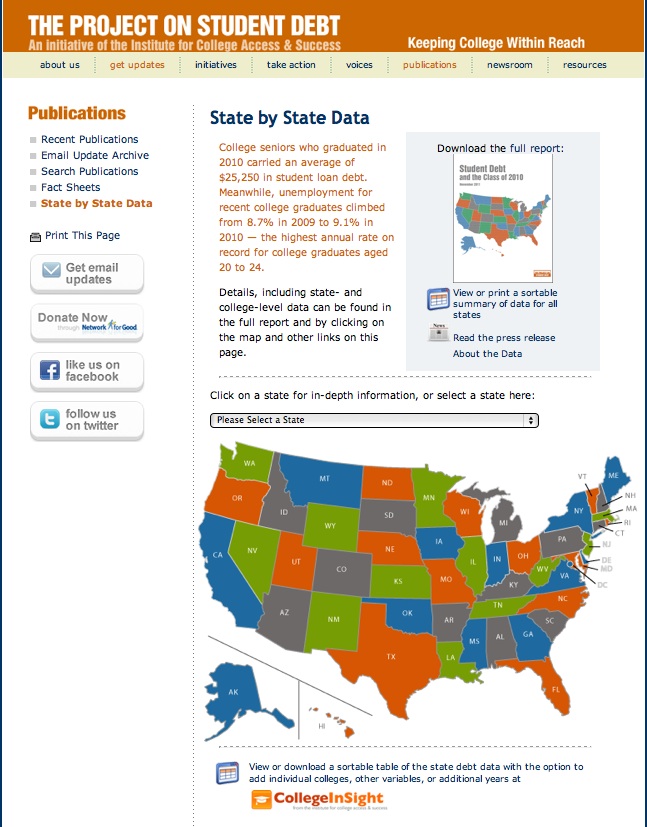
Two-thirds of college seniors graduated with loans in 2010, and they carried an average of $25,250 in debt. They also faced the highest unemployment rate for young college graduates in recent history at 9.1%. The new report, Student Debt and the Class of 2010, includes average debt levels for the 50 states and District of Columbia and for more than 1,000 U.S. colleges and universities.

Why is this information important to parents?

Part of your college decision process is based on cost factors. Examining states who have low student debt might open possibilities to your student that you might not have otherwise considered. You can also view individual colleges to determine the amount of average student debt giving you additional information to help you make wise financial college choices.

If you click on the graphic above you can use the interactive map to learn about the colleges your student is considering. Be an informed parent and teach your student about financial college responsibility.

Do you need $10,000 for college?

Do you have a creative student? Writer, photographer, graphic artist, filmmaker, print designer, architect? Here’s their chance to enter a contest that could net them $10,000 for college. All they have to do is enter–how simple is that!

THE ADOBE IMAGINATION CHALLENGE

Adobe is looking for examples of unique self-expression, individualism and creativity using their Adobe Creative Suite 5.5. Your student can download a FREE trial and create anything using the Suite and upload it to their Imagination Gallery.

Entries are being accepted NOW!

Adobe will be awarding a $10,000 prize from the finalists of four entry periods. Entry Period 4 has already begun and it’s not too late to submit an entry. You don’t have to enter the contest to win the daily prize. Then, once the finalists are chosen, you will get a chance to have people vote on your submission. Tap your Facebook friends, your Twitter followers, your Google+ circles, your family and friends.

The deadline to enter this final period is October 15th.

While you’re there, vote for the current finalists and give someone a chance to win!

While you’re at it, check out the REAL OR FAKE app that gives you a chance to decide whether or not the photo is “real or fake”. It’s pretty darn cool!

Imagine snagging a $10,000 prize for college…just by your student expressing their creativity using Adobe Creative Suite 5.5. 

Back to School Resources for parents and students

My favorite lines from “You’ve Got Mail” are:

“Don’t you love New York in the fall? It makes me wanna buy school supplies. I would send you a bouquet of newly sharpened pencils if I knew your name and address.”

Newly sharpened pencils always remind me of back to school days. And when fall comes around, I think about that movie (mostly wishing I were in New York in the fall!); but it also reminds of the promise and expectation of a new school year.

Armed with the right online tools, parents and students can face the new year with anticipation and promise. Having the right tools can mean the difference between organization and frustration. These tools would help students succeed as they enter college. Here are some excellent links that I shared with my newsletter subscribers today that I thought you might find helpful:

42 digital resources for students and parents

http://mashable.com/2011/08/16/back-to-school-student-tech/

7 Great online resources for students

http://www.jobacle.com/blog/7-great-online-resources-for-students.html

Coolest Free Online Resources for Students

http://www.radicalparenting.com/2008/04/17/coolest-free-online-resources-for-students/

9 Hot Web Tools for Students

http://www.hepg.org/hel/article/497

Educational Quiz Games, Homework Help

http://quizhub.com/quiz/quizhub.cfm

How to find great apps

http://theonlinemom.com/secondary.asp?id=1952&t=how-to-find-great-apps

How to get free books online

http://theonlinemom.com/secondary.asp?id=1949&t=how-to-get-free-books-online

25 Amazing web tools students can’t live without

http://listofonlinecolleges.org/2011/25-amazing-web-tools-online-college-students-cant-live-without/


Here’s hoping you and your student have a fabulous school year as you look toward college preparation and the future.


A day in the life of a college student…

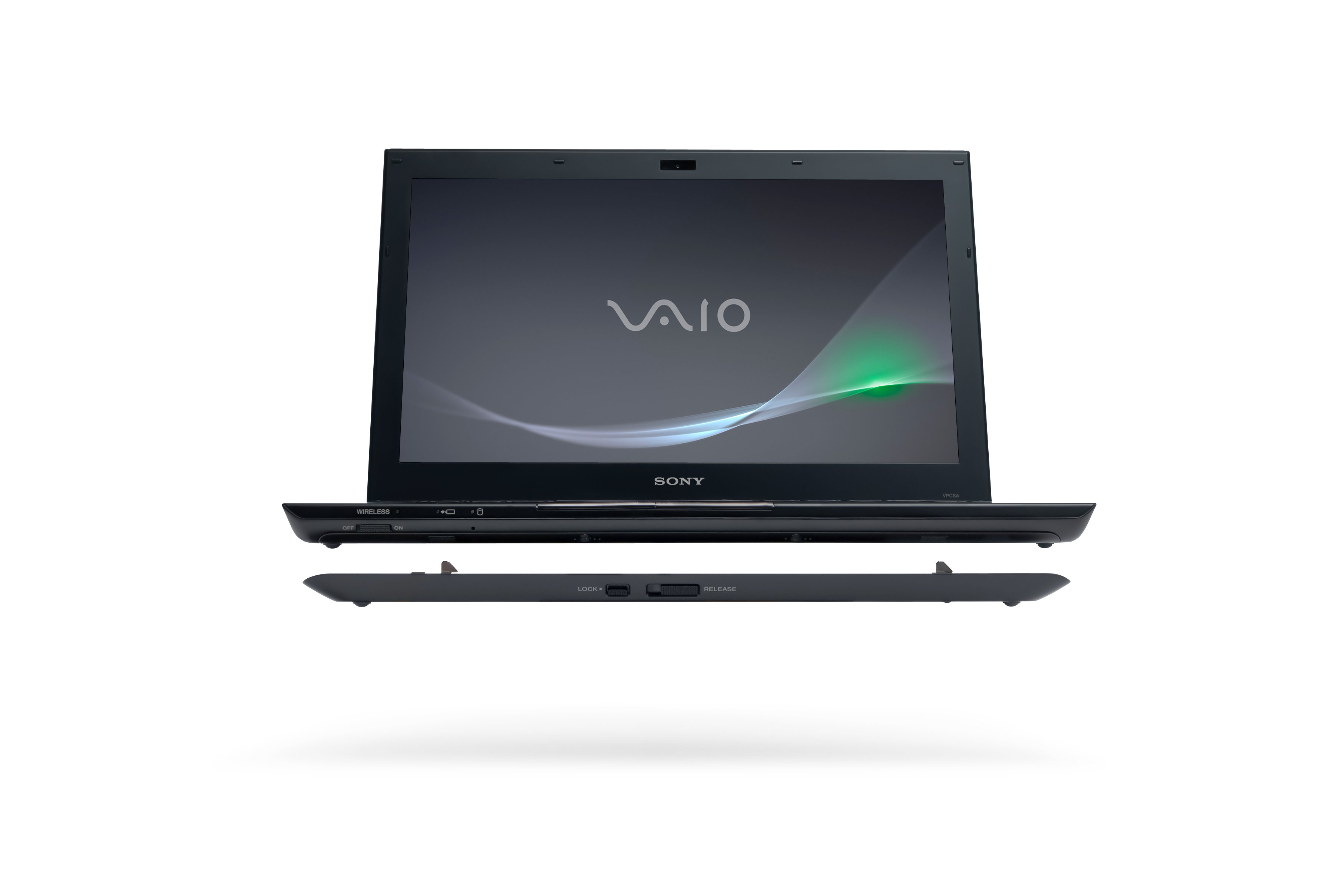
…using a Sony Vaio S Series with the extended battery

7:45AM-Bummer. My alarm goes off and I have this saying stuck in my head: I went to sleep with gum in my mouth and now I have gum in my head. I knew it was going to be a terrible, horrible, no good, very bad day. Yah, my Mom used to read that book to me when I was a kid. I can’t help remembering it when I wake up with dread (I have a final today).

8:00AM-After hitting the snooze and getting an extra ten minutes, I roll out of bed and switch on my laptop. It boots up in seconds (one of the things I love about it) and I’m on Facebook, Twitter and into my email before I hit the bathroom. I leave it on and hit the shower.

8:30AM-Taking a quick look at Evernote, it’s time to power down and head over to Starbucks for a short meeting with my group to work on our final presentation in Marketing Communications. As much as I dread going to school in the summer, I love the fact that a) I get a class out of the way while I’m at home for the summer, b) it flies by, and c) it costs a heck of a lot less than my regular classes at Texas A&M. Anyway, after everyone arrives, we pull up the notes for our presentation and look online at the schedule, noticing we are slated to go 1st  (I hate being first). Since John can’t make the meeting at Starbucks, we use the camera on my laptop and video chat with him regarding some last minute changes in the presentation.

10:30AM– Heading over to the campus library for some study time and a quick review of my notes for the afternoon presentation. I also need to work on the Powerpoint presentation giving it a little spit and polish before we go live. I’m going to turn off the wifi while I’m working and switch the laptop to speed to tweak some graphics and video for the presentation.

12:00PM– Grabbing some lunch before the big presentation at a local deli/coffeehouse. I decided to take my laptop in and use the free wifi to check my email, social media and stream some audio from my favorite radio station online to relax before the stressful afternoon (using my headphones, of course). I switched the laptop wifi back on and changed the performance switch to stamina. Even though I did some heavy duty graphic editing in Photoshop and video editing using Adobe Premiere, I still have plenty of battery life left to use the laptop in class when we give our final presentation. I love the fact that I don’t need to drag the power cord around with me and the laptop is lighter than a textbook, even with the added battery pack. I also noticed that the laptop has a hard drive protection utility that protects the hard drive from damage when it’s moved or shaken. Cool!

1:30PM-Back to campus for my 3:00 Marketing Communications final. Our group is meeting in the library to use a conference room for one final run through. Powerpoint performs seamlessly on the laptop and our slides, along with the video, are awesome. We’re hoping for an A on this project, especially since it’s 40% of our grade. After polishing our presentation and having this amazing laptop to use, I know we’ll hit it out of the ballpark!

2:45PM-Shutting the laptop down to walk over to our classroom and set things up for the presentation.

3:30PM-Our presentation is over and we nailed it. Having this laptop was a godsend (thanks Suzanne!). Everything went smoothly and the added practice time and flexibility of having the laptop helped us to ace this final assignment. I should pay attention to the other presentations, but I decided to log on to Facebook and announce our success!

6:00-Class is over and I have to say our presentation was so much better than all the others. I know the prep time we spent beforehand had a lot to do with it. It’s time to do some celebrating and spend the evening with friends. We’re all pretty stoked about the fact that a) we’re done and b) we nailed the presentation. And imagine this, I still have almost 50% of my battery left!

Since I have the laptop for the rest of the week, I’m going to put it through some serious gaming paces and do some more video editing of my recent sailboarding sessions. My old laptop is slow and bulky so I was happy to get a chance for a “hands on” test drive. Not having to worry about running out of power is a huge plus! Maybe I’ll treat myself to a new Sony Vaio laptop before heading back to A&M—something that’s not only needed but well-deserved after my hard work in class and at my summer internship.

Thanks Suzanne for the test drive AND thanks Sony for such a great product!

(Thanks Ryan for giving us an inside look at your day and taking the laptop through some college student paces!)

Buy a Sony Vaio S Series laptop BEFORE September 17, 2011 and get the sheet battery for extended battery life for only $75 (half off the regular price of $150).

******

This post is part of program called “Charged and Ready” by Sony Electronics and Microsoft, where a group of college bloggers have been given a Sony VAIO-S series laptop to test and review.

Charged and Ready–Sony Delivers!

I can’t tell you the number of times my laptop battery has run down while I was at a coffee shop, on an airplane, or in the hospital waiting room. My old IBM Thinkpad’s battery holds a charge for about 4 hours and then it’s time to plug it in. My son’s Mac lasts about 6-7 hours, depending on the usage. That’s why when Sony introduced me to their 15 hour battery life laptop, I jumped at the chance to check it out.

Let’s be realistic—college students need a laptop that stays charged and ready. They are on the go between classes, study groups, the library, coffee shops, and their dorm rooms. They travel back and forth between home and college, and even study abroad all around the world. Air travel, train travel and long car trips lend themselves to utilizing the laptop for all sorts of tasks: gaming, reading, studying (I had to add that as wishful thinking) and Skyping with friends and family. Rarely is there a convenient plug available if your battery needs a charge (especially on an airplane or other public place).

Does Sony’s S series laptop with extended battery address this problem and answer the call for college students everywhere? Decide for yourself by reading my “a day unplugged” journal.

7:45AM-Starbucks—unplugged with added battery pack (100% available on both batteries)

This is one of my favorite morning destinations and it’s always crowded. I didn’t have to look for a seat near outlets–great freedom. I booted up the laptop and checked email, communicated on Twitter, updated my Facebook Fan page and downloaded several articles for blog posts. The Wifi worked seamlessly on the ATT network. There is a button on the laptop keyboard that allows you to switch from “speed” to “stamina” to conserve battery life. Since I wasn’t using any graphics programs or other programs that required quick response, I switched it to “stamina” to conserve the battery life. I noticed the laptop turned off the DVD-CD-BR player to conserve energy as well.

Worked two hours and still have 88% battery remaining (11 hours 42 minutes)

At this point, I turned the Wifi off by using a convenient “wireless on/off” button on the front of the laptop. I spent two more hours working on blog posts and articles completely unplugged.

1:00PM-Barnes and Noble (after a short lunch break and powering down)

I have never understood it, but our local store only has ONE plug located in the coffee area. But with this laptop, there is no need to fight for the one plug because I still have 9 plus hours left on my battery. After booting up (which occurs rather quickly with Windows 7), I turned on Wifi and checked my email and social media.  I also plugged in my headphones and decided to live stream news on the Casey Anthony drama (yes, I’m obsessed!). I posted a blog and read some blogs related to college admissions. Then I turned off the Wifi again to work on another article and conserve the battery.

Still have 71% of my battery life remaining (7 hours and 25 minutes). I love the flexibility and the fact that this gives me an entire day to work on the go and without need for carrying around burdensome power chords to recharge.

4PM and I still have 49% of my battery remaining (5 hours 33 minutes)

I just witnessed an altercation over the one and only plug in the store. Another reason this laptop gets an A+ rating from me for battery life!  I would have had to stop hours ago to find a plug or leave the store altogether. I’ve been switching my Wifi on and off manually, conserving the battery. I posted another blog, responded to several emails, and wrote two more articles. It’s been a productive day and it’s not over yet!

During dinner, I left the laptop on and carried it into the kitchen for some Manilow tunes (showing my age here) from his new album 15 Minutes in my iTunes library.

8PM-Twitter Chat with 37% of battery remaining (4 hours 12 minutes)

I attended two Twitter Chats simultaneously (#theonlinemom and #campuschat) opening two windows to watch and participate.

Afterwards, I turned off the Wifi and worked on my book for 2 hours while listening to music with the headphones plugged in to the laptop.

10 PM Time to call it a day with 17% battery remaining (2 hours 4 minutes)

I decided to end the day with a late night movie and my favorite actress Meryl Streep (Julie and Julia), popped into the DVD/CD/BR player on the laptop.

After the movie was over, there was 3% battery remaining. I managed to go the entire day without plugging this little jewel in to recharge, leaving it on all day. It powers down when not in use, conserving the battery life.

Is this a good investment for your high school or college student? Speaking from experience I would say unapologetically–YES!

If you think this might be the best laptop to help your student succeed in college, please visit Sony’s online store to check out all your options and be sure to take advantage of their FREE student battery offer. 

If you would like to win one of these laptops for FREE, Microsoft is currently running a laptop give-a-way sweepstakes. The lucky winner gets a shiny new Sony S – Series laptop (including the 15 hour sheet battery option). It’s easy to enter and worth your time to CHECK IT OUT!

**********

Check back later this week as I outline “my personal favorites” related to this laptop and how it could benefit your soon-to-be or current college student.

This post is part of program called “Charged and Ready” by Sony Electronics and Microsoft, where a group of college bloggers have been given a Sony VAIO-S series laptop to test and review.

Choosing the right computer for college

When my daughter was ready for college, she had hardly even used a computer. We had one computer in our home and that was my home office/work desktop. She was allowed to use it for research and type papers for school, but that was the extent of her computer usage. The college she chose to attend was a top-tiered business university and required all their incoming freshmen to purchase IBM laptops as a part of their initial fees upon acceptance.

That laptop was her best friend during her four years of college. She carried it to class with her. She used it for in-class presentations. It accompanied her to Paris and London to study abroad. She also used it to communicate with her family and friends at home via email and messenger. It became an invaluable tool in her college education in the world of business. Her university was one of the first to incorporate technology in and out of the classroom, having an actual NYSE trading room on campus.

When my son started to college after the military, he opted to go the Mac route with a MacBook. He’s a Mac user at heart (my daughter loves the PC solely based on her first experience with computers). But both would say that they couldn’t have graduated successfully without their trusty computers.

I say all of this to underscore the importance of having a reliable computer while in college; and that was 10 years ago. Today, it’s more than a luxury as it was when she attended—it’s a necessity. In just 10 years our world has changed dramatically and there isn’t a college student alive that doesn’t have either a desktop or a laptop to use for their studies. Choosing the right computer has become almost as important for parents and students as choosing the best fit college.

Laptop vs Desktop

Based on my own kids’ experiences, I would recommend that you purchase a sturdy, durable, dependable laptop.  Laptops represent portability and convenience. They also take up less space in a dorm room and can be carried back and forth from college to home if necessary.

You want one that holds a charge throughout the day. Your student will need one that is wireless ready, with a camera and some multimedia software included. They are going to be doing presentations in college that require photo editing software, perhaps video editing software and the necessary Microsoft Office for word processing and charts and graphics.

Which laptop should you choose?

If you’re like me (unless you’re a tech geek), it’s hard to tell one laptop from the next. There are Macs and PCs and the laptop scenery is massive and varied. You and your student have to decide which best fits their needs and lands within your price point. Choosing a laptop is much like choosing a car—you want the best bang for your buck and you want one that is dependable and reliable.

Sony has just released a new laptop targeting the college student population. During the next week, I will be talking about this new product and whether or not it might meet your student’s needs during college. It’s a key investment and I hope to help you make the right decision.

In the meantime, here’s a short video to whet your appetite.


This post is part of program called “Charged and Ready” by Sony Electronics and Microsoft, where a group of college bloggers have been given a Sony VAIO-S series laptop to test and review.
 

Free Webinar-College Essay Tips

UPDATE: If you missed the webinar, here’s the link to the recording:

http://www.videocollegeadvisor.com/gelb

**************************

The essay is one of the key components of the college application. If you have a student that is contemplating college (even if they are in middle school), tonight’s webinar should be a priority. If you have a college-bound teen that will be a senior next year this is the perfect time to get the best information related to the college essay.

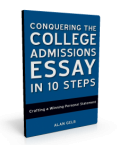
Alan Gelb, essay expert and author of “Conquering the College Essay in 10 Steps” will be the guest of the webinar, hosted by Paul Hemphill. Alan will be offering his best tips on writing the college admissions essay, drawn from his best-selling book.

Register for this FREE Webinar at 9PM EST Tonight (Thursday, June 23, 2011).

How to encourage your high school student to consider an internship

From an early age, my parents always encouraged me to think about the parallels between student life and working full-time. “Just like it’s our job to get up and go to work every day, it’s your job to get up and go to school every day,” I vividly remember my mom telling me as a kindergartner. “And doing your homework when you get home at night is part of that job, too,” she added.

Looking back, it seems like a few trivial statements made by a mother to persuade her daughter to get out of bed for school in the morning. But it wasn’t insignificant. It helped my young, impressionable mind to recognize the importance in being a good student. I wanted to be a good student because it was my job to do so, according to my mother. Indeed, it was forward-thinking at its finest.

With that fundamental seed planted (you must get up every day and perform your job, whatever it is), when a child develops natural interests and skillsets, it’s time to hone in on the “whatever it is”. As teens reach the pivotal point in their lives of determining the career field in which they want to obtain further education and training, parents can have the same effect on their children as my mom did when she made that simple statement to her six-year-old. Little did she know her praise and support of my early passions would ultimately lead to my pursuit of a degree in disaster recovery.

Encourage your college-bound teen to investigate careers

Encouraging teenagers to investigate careers, if done properly, can set them up for success long before recruiters start showing up at their high school. No child ever really wants to grow up, so mandating they start thinking about declaring a profession will likely not yield a positive response. Rather than telling them to start thinking about college or figuring out what they want to do for a living, ask questions relating to a career that will provoke their curiosity and motivate them do initiate their own research.

For example, let’s say your teenage son has great language skills, is on the school newspaper editorial team, enjoys playing baseball, loves punk rock music, and appears to be dependent on his Twitter account. You could ask him if he plans to be on the newspaper staff next year. If he does, then he must enjoy writing. As a parent, you are surely in tune with what he’s writing about. So, if the newspaper has him writing about the school play, encourage him to seek permission to write about sports or music (two of his interests) instead. If the paper won’t allow him to change topics, mention a music or sports blog you stumbled across that you noticed was taking guest posts. Whether it’s with the school newspaper or on a blog, you’ve now guided him towards creative writing about subjects he enjoys.

Encourage them to take the next step

If it goes well and he likes it, as you praise him for the great work he’s been doing, casually mention what bigger and better things it could lead to- a music correspondent for an alternative arts publication, a field reporter for a local radio station, or video blogging for a local news station. Be persistent, but not annoyingly persistent, that these are real possibilities. Point out that those types of organizations need interns and that, if it’s something he could see himself doing for a career, that he could test the waters with an internship.

The point is that gentle nudging that provokes curiosity will, in the end, be much more effective than forcing internships if the student discovers on his own that his passion can become his career. Take an active interest in his activities and hobbies and encourage further development of those that could lead to internships and occupations. Drop hints and make suggestions. And most importantly- be supportive of their final decisions!

********

This was a guest post contributed by Danielle Luna, a resident of Indianapolis, who blogs for Professional Intern (http://www.professionalintern.com), a website devoted to reading, literature, writing, and education.

5 lessons the college-bound can learn from the news about Osama Bin Laden

You had to have your head buried in the sand the last 12 hours if you didn’t hear the news about Osama Bin Laden. Even though it’s been over 10 years, the news of his demise brings nothing but extreme pride to our country. I began thinking this morning about all that it took to make this come to fruition and the lessons we can all learn from this drama that has unfolded the last 10 years; especially as it applies to the college-bound teen.

  1. There are consequences to all of your actions
  2. Every action in our lives has a consequence–good or bad. If you sow anger, evil, negativity and violence, you reap the same. If you sow honor and dignity while treating others with respect, you will be rewarded. It’s as simple, and complicated, as that. Bin Laden sowed hatred for America and its people. Today we know that Bin Laden has suffered the consequences of his actions.

  3. Never give up
  4. In spite all the rumors of his death, America never stopped looking for either the man, or the proof of his death. Ten years are a long time to keep up the fight. What can you learn from this? All throughout your educational career, you will have ups and downs. Your grades may falter. You may feel like there are so many others more talented than you. You may feel overwhelmed and outgunned. But never give up.

  5. Be proud of who you are
  6. On September 11, 2001, every person in this country came together and was proud to be an American. The same is true today. One of our enemies has been defeated and our country has struck a blow for freedom. Be proud of who you are, embrace your goals, and proceed with fortitude and conviction.

  7. Don’t forget the sacrifice of others
  8. Many American lives were lost in the pursuit of this outcome. Many families paid the ultimate sacrifice in this fight against terrorists. This is a victory for them today as well. Your parents and families will sacrifice much for you during your pursuit of higher education. Don’t forget their sacrifice and always be grateful that they put great value in your education.

  9. Perseverance always pays off
  10. The American military never gave up. They believed their purpose was worthy of their sacrifice. They persevered amidst all the negative attacks from our enemies and achieved a positive outcome. If you persevere through the college admissions process, do your best, and work toward your goals, success will be your ultimate victory.

Today is a day to reflect and remember, but it’s also a day to rejoice that justice has been served and one of our greatest enemies can no longer attack our freedom. Take this time to use the lessons outlined, apply them to your life, and remember that success comes when you move toward your goals.